
Breaks on the Kiosk
FabWise tracks your meal break and personal time during your shift. Unpaid break time is deducted from your hours worked.
Why it matters
Breaks affect your pay. Break time — your meal break, or personal time — is deducted from your hours worked. Tracking breaks accurately means your net hours are correct and your pay is right.
How it works
There are two types of breaks, and the kiosk handles them differently.
Two types of breaks
| Type | How it works | When you report it | Paid? |
|---|---|---|---|
| Meal Break | Take your meal break as usual — there's no button to tap during your shift. FabWise asks about it when you end your shift. | At End Shift | Unpaid (deducted from hours worked) |
| Personal Time | You start it and end it on the kiosk. The actual duration is recorded. | During your shift | Unpaid (deducted from hours worked) |
What happens to your hours
Your net hours are calculated as:
Gross hours (start to end of shift) minus unpaid break time (meal break + personal time) = net hours worked
Where to find it
- Meal break: the question appears on the End Shift screen. There's nothing to tap during your shift.
- Personal time: tap your name on the kiosk, enter your PIN, and the shift screen shows Start Personal Time below the Breaks divider.
- Workstation: the same Start Personal Time button appears on your dashboard during an active shift.
What you'll see
During your shift
Tap your name and enter your PIN. The shift screen shows a large End Shift button, and below the Breaks divider, a Start Personal Time button.
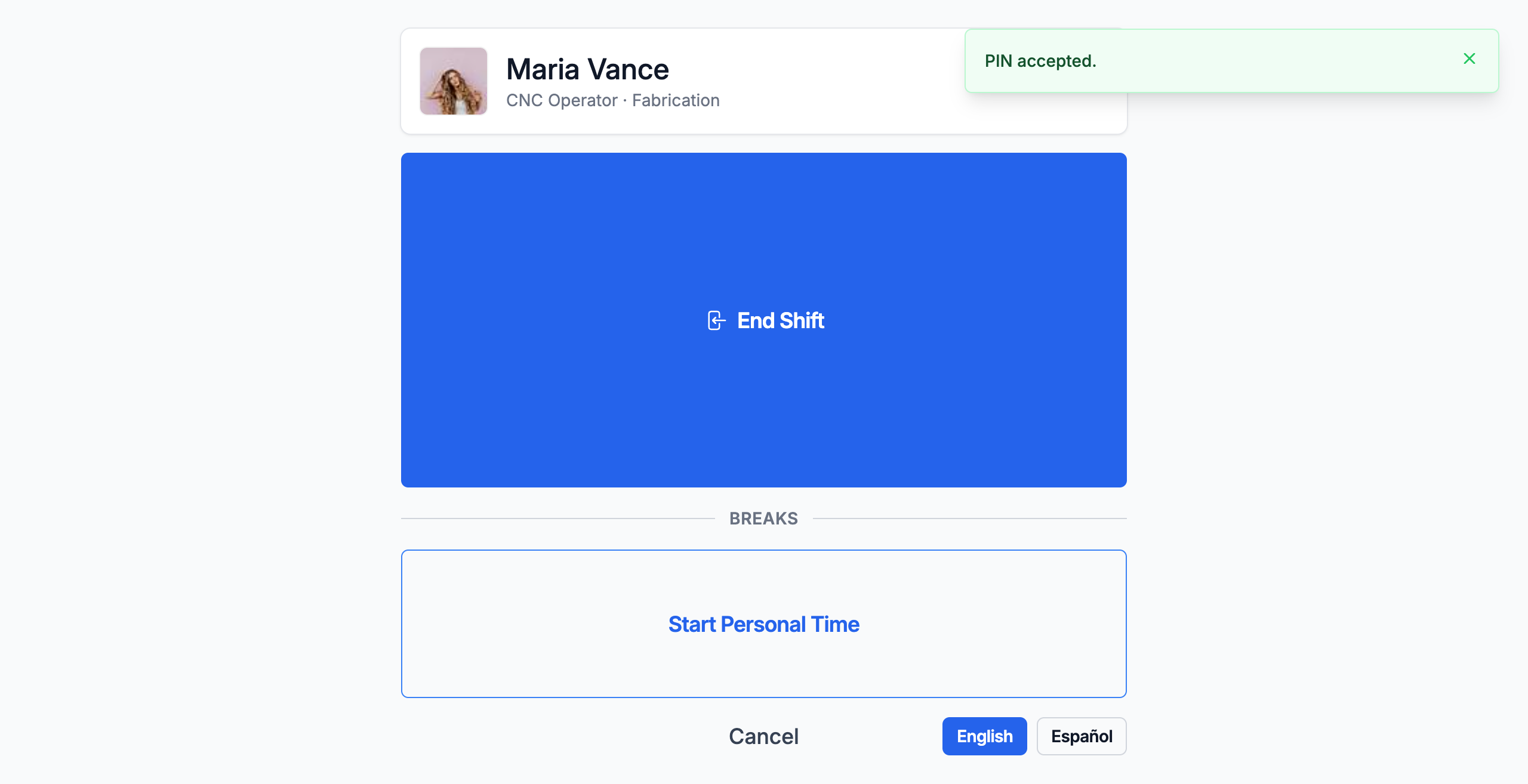
While personal time is running, the button changes to End Personal Time with the minutes elapsed. Tap it when you return.
When you end your shift
If your schedule includes a meal break and your shift was long enough for it to apply, the End Shift screen asks: "Did you get your full 30-minute lunch?" (with your shop's meal length). Tap Yes, I did or No / it was short, then confirm.
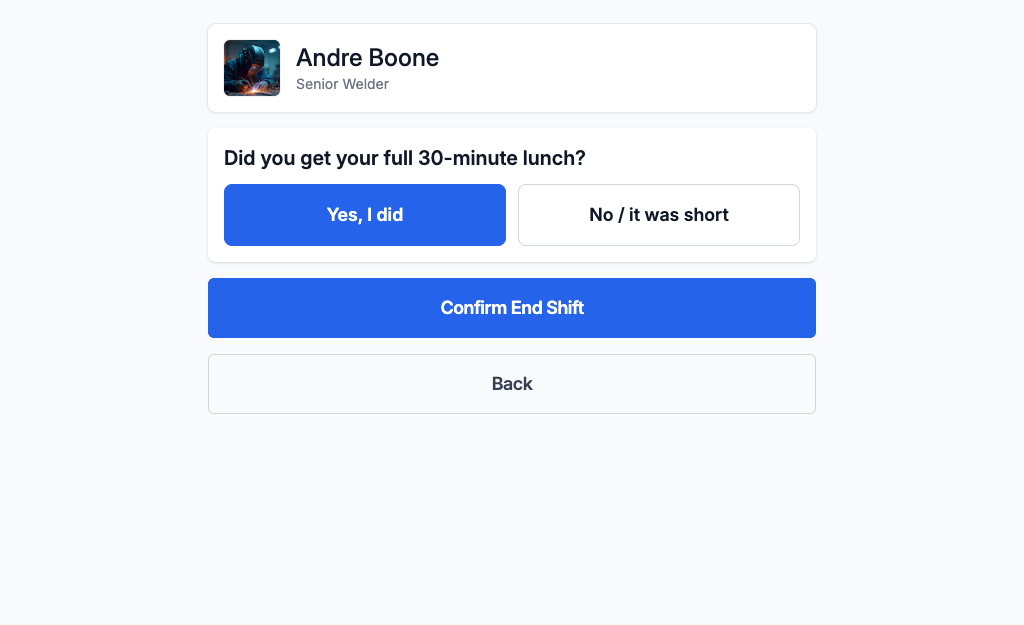
Some shops see a single "I skipped my lunch break today" checkbox instead. Leave it unchecked if you took your break — the standard meal time is deducted. Check it if you skipped.
If your shift doesn't include a meal break, or it was too short for one to apply, there's no question and nothing is deducted.
Reporting a missed or short meal break
If you answer No / it was short, your shift is flagged for your supervisor. They review it, and once they confirm you missed your break, the meal time isn't deducted from your hours. This is how you get paid for a lunch you worked through.
What to do
Take your meal break when it makes sense. The system doesn't force a time. Just answer the question honestly when you end your shift.
For personal time: start it when you leave, end it when you're back. The actual duration is what matters.
If you forget to end personal time: it's closed automatically when you end your shift, and the shift is flagged for your supervisor to sort out. Tell them how long you were actually away — they'll correct the record during review.
Common questions
Q: Do I have to take my meal break?
A: That depends on your shop's schedule and your state's laws. Under federal law, meal breaks are not mandated. Some states require them. If your schedule includes a meal break, FabWise records whether you took or skipped it.
Q: Can I take more than one personal time break per shift?
A: Yes. Each one is recorded separately. All personal time is deducted from your net hours.
Q: What if my meal break was cut short?
A: Answer No / it was short when you end your shift. Your supervisor reviews it and can make sure the time isn't deducted.
Q: Why was my shift flagged after a break?
A: A shift is flagged when you report a missed or short meal break, or when personal time was started but never ended. Your supervisor reviews it and corrects the record. This is transparency, not a penalty.
Related
- [Personal Time](personal-time.md)
- [Start Shift](start-shift.md)
- [End Shift](end-shift.md)
- [Shift Review](../time-tracking/shift-review.md)
Last updated: 2026-08-23