
Personal Time on the Kiosk
Personal time lets you step away from work for appointments, errands, or personal needs during your shift. The time is tracked and deducted from your work hours.
Why it matters
Life doesn't stop when your shift starts. Sometimes you need to take a call, run to the pharmacy, or handle a personal matter. Personal time lets you do that honestly — the time is recorded, deducted from your work hours, and your supervisor sees it on your shift. No sneaking around, no guessing about where the time went.
How it works
Personal time is different from a meal break:
| Break type | How you report it | Duration | Paid? |
|---|---|---|---|
| Meal break | One question at End Shift — no button during your shift | Fixed (e.g., 30 min) | Usually unpaid |
| Personal time | You start it and end it on the kiosk | Variable (you decide) | Unpaid |
Personal time is explicit — you start it, you end it. The actual duration is however long you're away. The time is deducted from your net work hours for the shift.
Where to find it
Starting personal time (Kiosk)
- Tap your name on the kiosk and enter your PIN
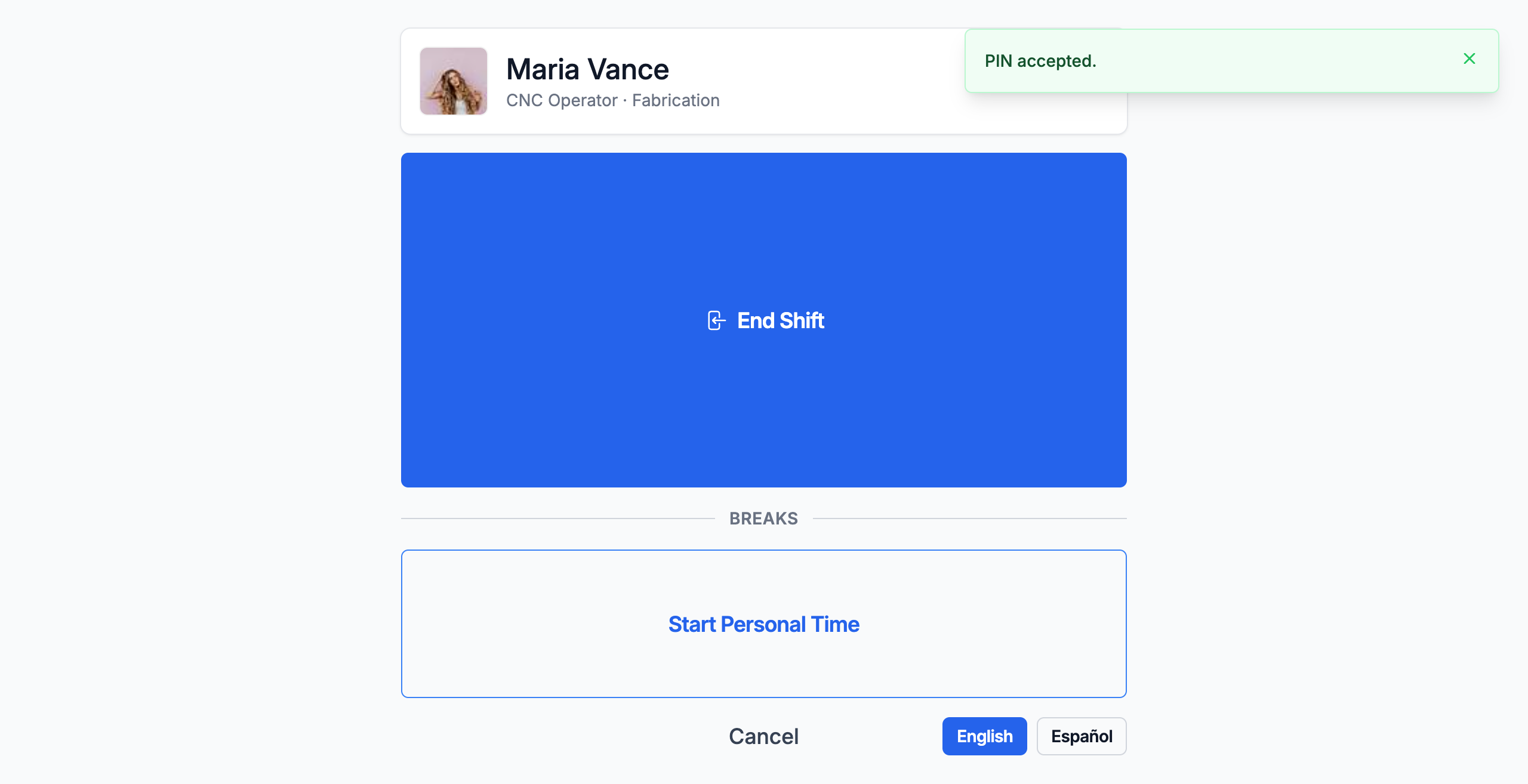
- On the shift screen, below the Breaks divider, tap Start Personal Time
- When you return, tap your name and enter your PIN again — the button now reads End Personal Time with the minutes elapsed. Tap it.
Starting personal time (Workstation)
- On your dashboard, tap Start Personal Time
- When you return, tap End Personal Time
What you'll see
During the break
The shift screen shows End Personal Time with the elapsed minutes. You can end the break at any time.
After the break
The personal time duration is added to your total break time and deducted from your net work hours.
On your shift detail
Your shift shows the personal time with its duration, and your net hours reduced by that amount.
What to do
Taking personal time: Just start it when you need to leave and end it when you're back. Be honest about the timing — the system records the actual duration.
If you forgot to end your break: It's closed automatically when you end your shift, and the shift is flagged for your supervisor. Tell them how long you were actually away — they'll correct the record during review.
If you need personal time regularly: That's fine. The system tracks it. If there's a pattern, your supervisor may discuss scheduling around your needs — but the system doesn't block you from taking personal time.
Common questions
Q: Does personal time count toward overtime?
A: No — it can only reduce your hours, never add to them. Personal time is deducted from your work hours: an 8-hour shift with 30 minutes of personal time records as 7.5 net hours. (FabWise records the hours; your payroll provider classifies overtime from them.)
Q: Will I get in trouble for taking personal time?
A: No. Personal time is a legitimate feature. Your supervisor sees it on your shift with the full picture. The system encourages honesty — it's better to record the time than to disappear without a record.
Q: How long can personal time be?
A: There's no system limit. The duration is however long you're away. Very long personal time will show prominently on your shift detail, and your supervisor will factor that into their review.
Q: Can I take more than one personal time per shift?
A: Yes. Each personal time is recorded separately, and all of it is deducted from your net work hours.
Related
- [Starting a Shift](start-shift.md)
- [Taking Breaks](../time-tracking/taking-breaks.md)
- [Why Was My Shift Flagged?](../time-tracking/shift-review.md)
Last updated: 2026-08-23